
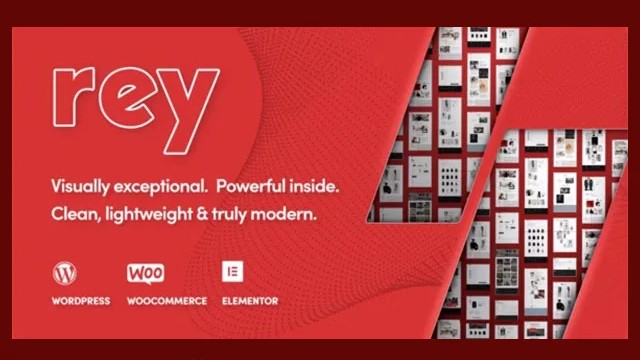
Rey WordPress WooCommerce Theme: A Customizable Storefront for Product Discovery
in Plugin on October 5, 2026A practical overview of Rey V-3.1.5 for WooCommerce stores that need an immersive, customizable shopping experience.
Rey WordPress WooCommerce Theme | V-3.1.5 is a WordPress theme built around WooCommerce storefront design and product discovery. It is aimed at store owners, web designers, freelancers, and agencies that want a customizable ecommerce website with shopping-focused interface options such as custom ecommerce headers, smart search, AJAX filters, product catalog teasers, and quick-view functionality.
Interested in Rey WordPress WooCommerce Theme | V-3.1.5? View the product details on BazarPlugin, check the current version and purchase options.
This is a theme, not a standalone WooCommerce plugin or add-on. Its role is to shape the presentation and shopping experience of a WordPress store. If your priority is creating a more distinctive product catalog and giving visitors practical ways to browse products, Rey is worth considering.
At a glance
- Product type: WooCommerce-focused WordPress theme
- Best for: ecommerce businesses, designers, developers, freelancers, and agencies building WooCommerce stores
- Storefront tools highlighted: custom ecommerce headers, smart search, AJAX filters, product catalog teasers, and quick-view options
- Content support: blog features for product education and store content
- Design approach: customizable, immersive, and ecommerce-oriented
- SEO positioning: presented as SEO optimized
- Listing details: the product page states lifetime free updates, unlimited domain usage, and pre-activated access
What is the Rey WordPress WooCommerce Theme?
Rey is an ecommerce WordPress theme intended for websites that sell through WooCommerce. Rather than functioning as a single-purpose extension, it provides the visual framework for a store and brings together several catalog and navigation features that are relevant to online shopping.
The theme is positioned for businesses that want an engaging brand presentation without overlooking the practical parts of ecommerce navigation. A store visitor may need to search, filter, preview, and compare products before reaching a product page. Rey’s highlighted features focus on supporting those stages of the browsing journey.
For teams building a new store, a theme choice affects much more than colors and typography. It influences how headers are organized, how product archives are presented, how editorial content fits alongside products, and how easily customers can move through a catalog. Rey is designed with those WooCommerce-specific concerns in mind.
Who is it for?
The Rey WordPress WooCommerce Theme can be relevant to several types of WordPress users:
- Store owners who want a branded WooCommerce storefront with product-discovery features built into the theme experience.
- Fashion, clothing, furniture, and product-led retailers that need to present catalog items in a visually engaging way. These are examples of store types that may benefit from the theme’s catalog, teaser, and quick-view focus; suitability will still depend on your own product range and content requirements.
- Freelancers and web designers creating tailored online shops for clients and looking for customization flexibility.
- Agencies and developers managing more than one client website, especially where the listing’s stated unlimited domain usage is relevant to their workflow.
- Content-led ecommerce brands that plan to use blog posts for product education, buying guides, and related editorial content.
If you need a general-purpose storefront alternative to compare during your theme selection process, see Goya – Modern WooCommerce Theme. For broader multi-industry store builds, you may also want to review XStore | Multipurpose WooCommerce Theme.
Key features of Rey for WooCommerce
Custom headers for ecommerce
Headers are a major navigation area on any online store. Rey includes custom header capabilities intended for ecommerce use. This can help store builders create a header arrangement that supports their brand and gives customers clear access to key shopping paths, such as product browsing and search.
Before configuring a header, identify the actions that matter most on your site. A focused catalog may benefit from a prominent search path, while a store with multiple product departments may need a clearer category-led navigation structure. The right choice should follow your catalog and customer journey rather than visual trends alone.
Smart search for product discovery
Rey highlights smart search as part of its ecommerce toolkit. Search is especially valuable when shoppers know what they want, when a catalog has many products, or when categories alone do not provide a fast route to a particular item. It can also complement browsing for visitors who arrive from a campaign, social post, or product-focused search result.
For the best outcome, keep WooCommerce product titles, descriptions, categories, and other store information organized. A useful search experience depends not only on the theme interface, but also on the quality and consistency of the product data in your store.
AJAX filters
AJAX filters are listed as a Rey feature. Filters can help customers narrow a product catalog according to the options available on your store. This is particularly relevant for shops where visitors need to reduce a large product selection to a more manageable set before making a decision.
Filtering is not automatically necessary for every catalog. A small, tightly curated product range may be easier to browse through straightforward collections. Larger or more varied catalogs, however, can benefit from clear filtering options. Plan the available filters around meaningful product attributes and avoid adding choices that do not help customers decide.
Quick-view options
Quick-view options are designed to let shoppers access a product preview without necessarily leaving the catalog context. For stores where visitors compare multiple items, this may make product exploration feel more direct. It can be useful when product archives display a large selection and customers need a faster way to inspect items before opening a full product page.
Quick view should complement, not replace, complete product pages. Your product pages still need the essential information customers use when deciding whether to buy, including the details that are appropriate for your products.
Product catalog teasers
Product catalog teasers are another highlighted feature. These elements can be useful for drawing attention to selected products or product areas within the browsing experience. For example, a retailer may want to surface a new collection, direct visitors toward a featured category, or provide a visual entry point into a product group.
The practical value of catalog teasers comes from intentional placement. Use them to support a shopping path, seasonal campaign, collection launch, or other real store priority rather than treating them as purely decorative content.
Blog features for product education
Rey includes blog features, which can support ecommerce content beyond the catalog itself. Product education may include buying guidance, product-care information, styling inspiration, category explainers, or other editorial material that helps customers understand what they are considering.
For search visibility, blog content should answer genuine questions that customers ask before purchasing. It should be accurate, relevant to the products you sell, and connected naturally to useful product or category paths. The theme is described as SEO optimized, but no theme alone can guarantee rankings; content quality, technical setup, competition, and site-wide SEO work all contribute.
Typical use cases
Rey can fit a range of WooCommerce projects where product presentation and browsing are important:
- Fashion and clothing stores: use an immersive storefront style, product teasers, quick-view options, and filtering to support collection browsing.
- Furniture and home product catalogs: help visitors explore a varied selection through search and filters while using editorial posts for product education.
- Growing ecommerce brands: create a branded store layout with dedicated shopping-oriented header and catalog features.
- Agency client projects: use a customizable WooCommerce theme as a starting point for distinct client storefronts.
- Stores with educational content: combine products with blog material that explains use cases, categories, and purchasing considerations.
If your business model centers on importing and managing a dropshipping catalog, a theme is only one part of the setup. You can pair a WooCommerce storefront strategy with tools such as the AliExpress Dropshipping Business Plugin for WooCommerce, which is presented for product imports, inventory management, and order fulfilment workflows.
What to consider before buying
Start by confirming that you need a WooCommerce theme, rather than a narrowly focused plugin. Rey handles the store’s visual and ecommerce-oriented theme layer; it does not replace WooCommerce itself or every specialist extension a particular business may require.
Next, map your catalog. Consider how many products you have, whether shoppers need filters, whether search will be central to navigation, and whether quick product previews would genuinely help your customers. These answers make it easier to judge whether Rey’s highlighted capabilities match your store.
You should also plan your customization process. A customizable theme provides options, but a consistent result still requires decisions about brand styling, product imagery, navigation labels, categories, and content. Keep the customer journey central: visitors should be able to understand what you sell and move from discovery to a product page without unnecessary friction.
Finally, review your existing WordPress and WooCommerce setup before changing themes. Create a backup and test theme changes in a staging environment where possible. Check your essential plugins, templates, and custom code as part of your own implementation process. The supplied product information describes Rey as flexible and able to work alongside additional plugins, but every site has a different plugin mix and configuration, so validation on your own installation remains important.
Frequently asked questions
Is Rey a plugin or a WordPress theme?
Rey WordPress WooCommerce Theme is a WordPress theme designed for WooCommerce stores. It controls the storefront design and provides ecommerce-focused presentation and browsing features.
Does Rey include product filtering?
Yes. The supplied product information lists AJAX filters among the theme’s features.
Does the Rey theme have search and quick-view features?
Yes. Smart search and quick-view options are both identified in the product information.
Can Rey support ecommerce blog content?
Yes. The theme includes blog features intended to support product education and related store content.
Is Rey suitable for more than one domain?
The BazarPlugin product listing states unlimited domain usage. Review the product page and your intended use case before purchase for the current listing details.
Conclusion
Rey WordPress WooCommerce Theme | V-3.1.5 is a WooCommerce-focused theme for businesses and professionals that want a customizable, product-led WordPress storefront. Its stated features—custom ecommerce headers, smart search, AJAX filters, product catalog teasers, quick-view options, and blog support—are especially relevant when product discovery is a central part of the customer experience.
If those requirements match your store plan, visit the Rey WordPress WooCommerce Theme product page to review the available product details and purchase options.
Get Rey WordPress WooCommerce Theme | V-3.1.5
Ready to use this plugin on your WordPress site? See the product page on BazarPlugin for the current version and purchase details.