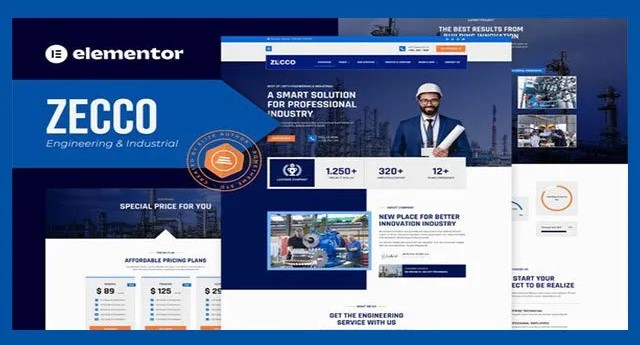
Zecco – Engineering & Industrial Company Elementor Template Kit | V-Latest
in Plugin , Woocommerce Addons , YITH on April 17, 2025Choose Your Desired Option(s)
Zecco Engineering & Industrial Template Kit offers 16+ pre-built, fully responsive templates for Elementor, perfect for creating modern engineering websites.
- Lifetime Free Updates
- Unlimited Domain Usage
- Pre-Activated
- Safe and Secure
The Zecco – Engineering & Industrial Company Elementor Template Kit offers a comprehensive set of tools and templates designed to streamline the website creation process for engineering and industrial companies. Here’s a summary of its features and a guide on how to use it:
Key Features:
- Cross-Browser Compatibility: Works seamlessly with FireFox, Safari, Chrome, IE9, IE10, and IE11.
- Free Plugins: No need for Elementor Pro, only requires free plugins.
- Fully Responsive Layout: Ensures a great user experience on all devices.
- Retina Ready: Ultra-high resolution graphics.
- No-Code Customization: Easy customization with a drag-and-drop visual builder.
- Global Customization: Customize fonts and colors globally or on individual elements.
- 16+ Pre-Built Templates: Ready-to-use templates including:
- Homepage
- About Us
- Our Expertise
- Our Services
- Single Services
- Our Project Gallery
- Our Testimonial
- Our Team
- FAQ
- Pricing
- Our Blog
- Single Blog
- Contact Us
- Header OffCanvas
- Header
- Footer
Required Plugins:
- Premium Addons for Elementor
- RomethemeForm
- RomethemeKit
Installation and Usage Guide:
- Install Envato Elements Plugin:
- Navigate to
Plugins > Add Newin your WordPress dashboard. - Search for and install the “Envato Elements” plugin.
- Navigate to
- Upload Template Kit:
- Download the kit file from Envato (do not unzip it).
- Go to
Elements > Installed Kitsand click theUpload Template Kitbutton. - Alternatively, link your Elements subscription by clicking
Connect Account, then import the kit underElements > Template Kits.
- Install Required Plugins:
- Look for the orange banner at the top of the page and click
Install Requirementsto install any necessary plugins.
- Look for the orange banner at the top of the page and click
- Import Templates:
- Import the Global Kit Styles first by clicking
Import. - Import each template one at a time by navigating to
Templates > Saved Templates.
- Import the Global Kit Styles first by clicking
- Create and Customize Pages:
- Go to
Pagesand create a new page. - Click
Edit with Elementor. - Click the gear icon in the lower-left corner to access page settings.
- Choose
Elementor Full Widthand hide the page title. - Click the gray folder icon to open the
My Templatestab and import the desired template. - Customize the template to suit your needs.
- Go to
Summary:
The Zecco Elementor Template Kit is a versatile and user-friendly option for creating professional websites for engineering and industrial companies. Its responsive design, high-resolution graphics, and easy customization make it an excellent choice for showcasing modern and impressive projects without needing extensive coding knowledge.
6556 Sales
Purchase
€1.99
Product Information
-
Price:
€1.99
-
Released:
April 17, 2025
-
Last Updated:
April 17, 2025
-
Compatible With:
Wordpress