
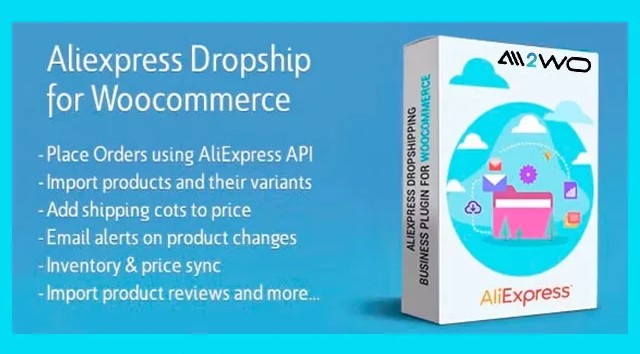
AliExpress Dropshipping Business Plugin for WooCommerce: A Practical Guide
in Plugin on September 28, 2026Import, customise and synchronise AliExpress products in a WooCommerce dropshipping workflow.
The AliExpress Dropshipping Business Plugin for WooCommerce is a WordPress plugin designed to connect a WooCommerce store with AliExpress for dropshipping operations. Created by MA-Group, it is intended for store owners who want to import AliExpress products, customise their listings, keep selected product information synchronised, and manage pricing from within a WordPress workflow.
Interested in AliExpress Dropshipping Business Plugin for WooCommerce | V-3.5.1? View the product details on BazarPlugin, check the current version and purchase options.
For freelancers building client stores, agencies maintaining several WooCommerce sites, and entrepreneurs developing an AliExpress product catalogue, the plugin brings several operational tasks into one place. Rather than treating imported supplier data as final copy, users can edit titles, descriptions and images before publishing products to their shop.
At a glance
- Product type: WordPress plugin for WooCommerce
- Primary purpose: AliExpress dropshipping product import and store-management workflow
- Product sourcing: Imports products from AliExpress.com
- Catalogue tools: Product variations, listing edits and an image editor in WordPress admin
- Synchronisation: Inventory and price synchronisation for product listings
- Pricing: Bulk pricing rules and multicurrency pricing support
- Additional workflow tools: Shipping-option filtering, AliExpress review import and cashback-system support
What is the AliExpress Dropshipping Business Plugin for WooCommerce?
This is not a WooCommerce theme or a standalone eCommerce platform. It is a WooCommerce add-on plugin that helps turn a WordPress store into an AliExpress-focused dropshipping operation. According to the supplied product information, it links a WooCommerce store to the official AliExpress API using an access token.
The central use case is straightforward: find products on AliExpress, import them into WooCommerce, refine the presentation for your own storefront, and use synchronisation tools to reflect relevant supplier-side changes in your store. The plugin also includes features intended to help with product selection, catalogue maintenance and pricing at scale.
If presentation is also a priority, this plugin can sit alongside a store design solution such as the Rey WordPress WooCommerce Theme. The theme and the dropshipping plugin serve different roles: one is for the storefront experience, while this plugin is focused on product and dropshipping operations.
Who is it for?
The AliExpress Dropshipping Business Plugin for WooCommerce may be relevant to the following users:
- New WooCommerce dropshipping store owners who need a way to bring AliExpress products into a WordPress catalogue.
- Established shop managers who want tools for inventory and price synchronisation rather than manually revisiting individual listings.
- Freelancers and agencies creating or managing WooCommerce dropshipping stores for clients.
- Store owners with broad catalogues who need bulk pricing rules and support for product variations.
- International sellers who work with product prices in different currencies and want multicurrency pricing support within the import workflow.
It is most suitable for websites that already use WooCommerce and plan to source products through AliExpress. A standard WordPress site without WooCommerce would not match the plugin’s stated purpose.
Key features for an AliExpress WooCommerce store
Import products and retain control of your catalogue
The plugin supports importing an unlimited number of products from AliExpress.com. Importing does not have to mean publishing supplier content unchanged: the supplied description states that you can edit product titles, descriptions and images. This gives merchants an opportunity to build clearer product pages, align listing language with their brand, and organise information for their own audience.
It also handles product variations, allowing a WooCommerce listing to offer options such as sizes, colours and materials where those options are available. Variations are particularly important for stores that sell products with multiple customer-selectable attributes, since customers need to understand available choices before placing an order.
Inventory and price synchronisation
Supplier catalogue details can change after an item has been imported. The product information states that the plugin synchronises inventory and prices, and that AliExpress updates relating to product details, pricing or stock availability are automatically reflected in the store through the API connection.
For a store owner, this feature addresses an everyday dropshipping concern: product listings should be reviewed in light of supplier availability and pricing changes. Synchronisation can reduce the need to manually check every imported item, but it remains sensible to monitor important listings and review how updates appear in the storefront.
Pricing automation and bulk price management
The plugin includes pricing automation. Users can create pricing rules and set product prices in bulk. This can be useful when a catalogue contains many imported items and a merchant wants a more consistent approach to setting store prices than editing each product individually.
Pricing rules can support a repeatable workflow, especially when supplier prices change. Store owners should still define their own pricing strategy, taking account of their business costs, target market and the customer-facing price they want to offer. The plugin provides the bulk-management mechanism; it does not replace commercial decisions.
Product images and listing presentation
The built-in image editor works from the WordPress admin panel. This may be useful when preparing imported product imagery for a store’s catalogue, as it keeps image editing close to the product-management process. Combined with the ability to change product titles and descriptions, it helps merchants make imported listings more appropriate for their own site rather than relying solely on original supplier content.
Shipping-option filtering
Product selection is not only about the item itself. The plugin can filter products based on shipping options and allow only items with the fastest delivery times to be listed. For stores that want to screen potential products by delivery options before featuring them in the catalogue, this is a practical sourcing feature.
Actual delivery expectations will still depend on the specific product, shipping method and destination. Store owners should verify shipping information for the markets they serve and communicate fulfilment information clearly on their own store pages.
AliExpress review import
The plugin includes a feature for importing reviews directly from AliExpress. This can help populate product pages with available review content. Before publishing imported reviews, merchants should check that their use, context and presentation fit their store policies and applicable requirements in the markets where they operate.
Multicurrency pricing and cashback-system support
For international sourcing workflows, the plugin supports multicurrency pricing, allowing product prices to be imported in different currencies without requiring a separate currency converter for that import task. The supplied product data also describes a cashback system that can provide an additional commission from the AliExpress portal, Admitad network or EPN.
Because cashback arrangements can depend on external programmes and their terms, store owners should review the relevant platform or network requirements before relying on this part of their business model.
Typical use cases
- Launching a niche product store: Import potential AliExpress products, edit their names and descriptions, prepare images, and publish a focused WooCommerce catalogue.
- Managing a larger imported catalogue: Use product variations, bulk pricing rules and price or inventory synchronisation to reduce repeated catalogue administration.
- Curating products by delivery options: Filter products by shipping options when choosing which items to list.
- Preparing international product data: Work with imported product prices in different currencies through the plugin’s multicurrency pricing support.
- Building a more complete WooCommerce workflow: Pair product sourcing and catalogue management with store operations tools such as YITH WooCommerce PDF Invoices & Packing Slips for invoice and packing-slip generation.
What to consider before buying
First, confirm that your site runs WooCommerce and that AliExpress is the intended source for your products. This plugin is specifically positioned for that connection, rather than for general multi-supplier marketplace management.
You will also need an AliExpress access token to link the store to the official API, according to the product description. Plan who will configure that connection and who will oversee the imported catalogue once it is live.
Next, allow time for catalogue curation. The ability to edit titles, descriptions and images is valuable because it lets you shape listings for your brand and audience. It also means someone should take responsibility for checking product information, options and shipping choices before publication.
Finally, consider the broader store workflow. Imported products are one part of operating a WooCommerce business; fulfilment communication, shipping policies, customer service, checkout, accounting and tax obligations are separate areas that each store must manage according to its own circumstances.
Frequently asked questions
Is the AliExpress Dropshipping Business Plugin for WooCommerce a WordPress plugin?
Yes. It is a WordPress plugin built for WooCommerce, not a theme. Its stated purpose is to connect a WooCommerce dropshipping workflow with AliExpress.
Can I import product variations from AliExpress?
The supplied product information states that the plugin handles product variations, including options such as sizes, colours and materials.
Does it synchronise product prices and stock?
Yes. Inventory and price synchronisation are listed features. The description also states that AliExpress updates to product details, pricing or stock availability are automatically reflected in the store through the API connection.
Can I change imported product content?
Yes. You can edit imported titles, descriptions and images, and the plugin includes an image editor in the WordPress admin panel.
Does the plugin support pricing rules?
Yes. It includes pricing automation for creating pricing rules and setting product prices in bulk. It also supports multicurrency pricing for importing product prices in different currencies.
Conclusion
The AliExpress Dropshipping Business Plugin for WooCommerce is aimed at WooCommerce users who want an AliExpress-connected workflow for product import, listing customisation, pricing, inventory and supplier-data synchronisation. Its variation handling, shipping-option filtering, review import and multicurrency capabilities make it especially relevant for merchants planning an actively managed AliExpress dropshipping catalogue.
For full product details and purchasing information, visit the AliExpress Dropshipping Business Plugin for WooCommerce product page.
Get AliExpress Dropshipping Business Plugin for WooCommerce | V-3.5.1
Ready to use this plugin on your WordPress site? See the product page on BazarPlugin for the current version and purchase details.